Text & web tools
Word counter & word frequency analysis
Count your words and characters, explore every word frequency and export a report. Paste text or open a TXT, DOCX or PDF file; analysis stays in your browser.
Free · No account needed · Saved on your device
Your result
Only on this deviceKeep creating
Use this result as the starting point for a design.
Did this tool help you?
Features and uses
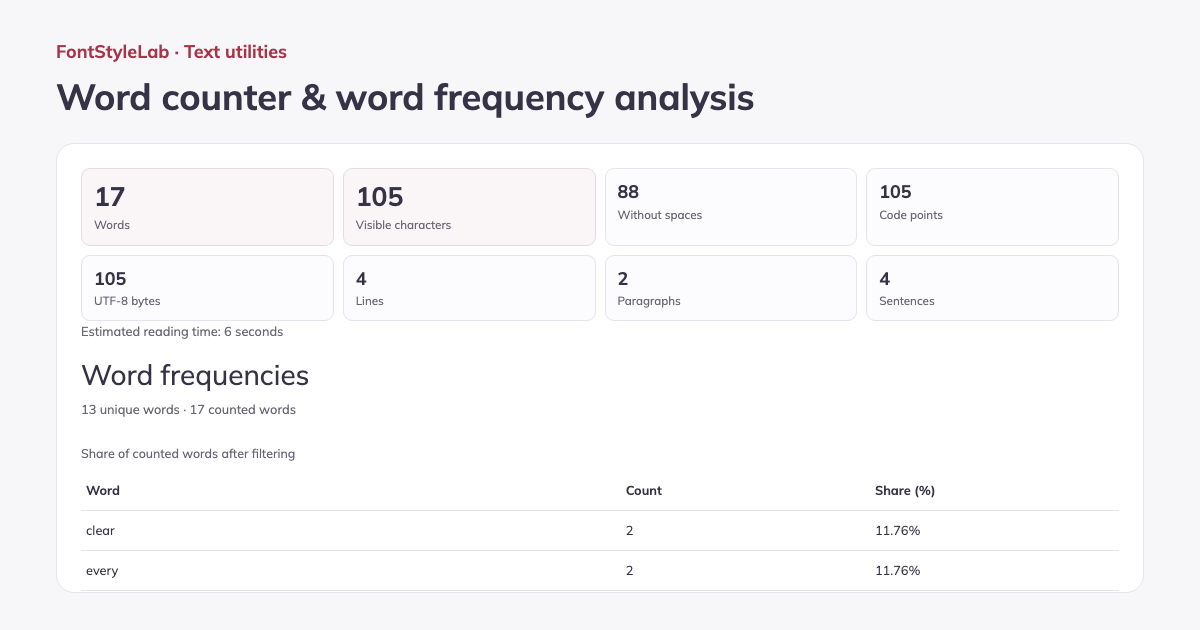
Count words, visible characters, characters without spaces, code points, UTF-8 bytes, lines, paragraphs and sentences. See the main counts first, with a compact breakdown of the other measurements.
Analyze every word frequency in a sortable table, with 50 results per page. Filter common words in the selected language and choose case-sensitive counting. Copy the full report or export TXT, CSV or HTML; downloads include every result, not just the visible page.
Formats, options and limits
- Import UTF-8 TXT, DOCX or PDFs with selectable text. Analysis supports up to 100,000 characters. Image-only PDF pages need OCR; check extracted text and reading order before using the report.
- Analyze up to 100,000 characters in English, Spanish, Italian, French, German, Brazilian Portuguese or Turkish. Set reading speed from 80–600 words per minute. Frequency results include all words; case-sensitive counting and common-word filtering are optional.
- Download all word frequencies as CSV or a printable HTML report, or save counts and frequencies as TXT. Lines follow explicit line breaks; blank lines separate paragraphs. Visible characters group joined emoji, while code points and UTF-8 bytes measure different aspects of text length.
Input limits follow the browser’s character count; some emoji use more than one input character, even when they appear as one visible character in the result.
Work without an account: text and photos are processed in your browser. Save a project on this device or download a backup to reopen it later.
Good to know
Visible characters are counted as grapheme clusters, so a joined emoji counts as one. Code points and UTF-8 bytes are also shown. Word boundaries depend on the selected language. Reading time is an estimate.
Example made with this tool