Text & web tools
See what changed between two texts
Place the versions side by side. Review additions and deletions without uploading either draft.
Free · No account needed · Saved on your device
Your result
Only on this deviceDid this tool help you?
Features and uses
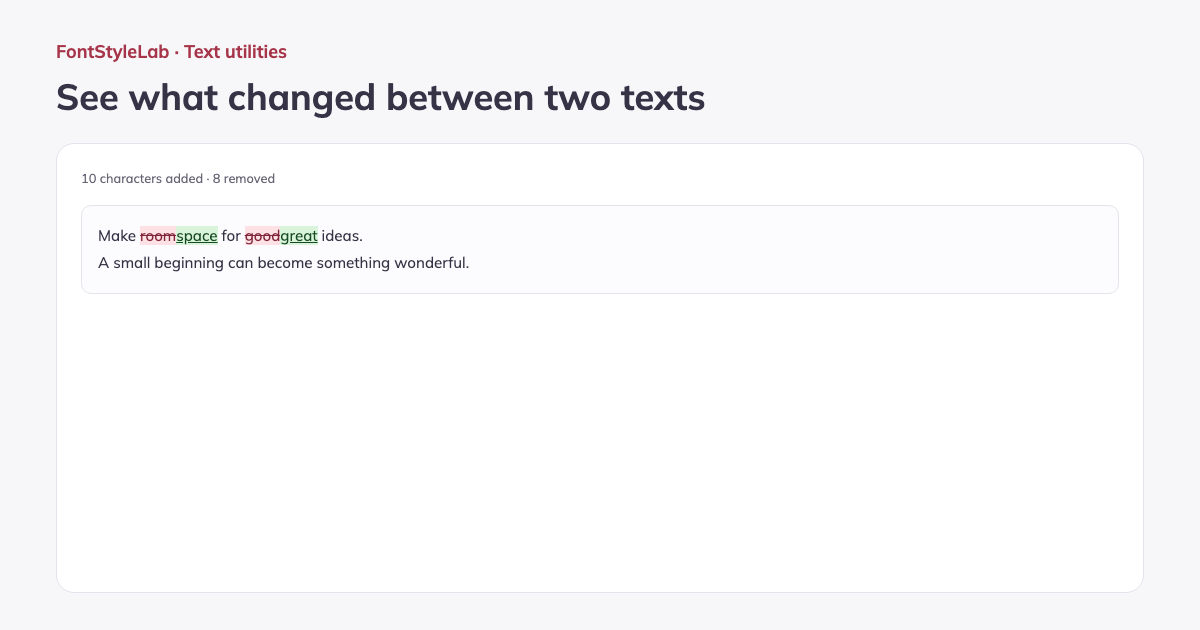
Compare two plain-text drafts by word, character or line. Additions and deletions are marked in the result, with counts of the characters added and removed.
Swap the versions or ignore case and whitespace to focus the comparison. Copy the differences or download a TXT report. Both original text fields remain editable throughout.
Formats, options and limits
- Paste up to 100,000 input characters in each version to review revised copy, notes or source text. Compare pasted plain text; Word and PDF files are not imported. Copy or download a UTF-8 TXT report that marks added blocks with + and removed blocks with −.
- Ignore whitespace turns runs of spaces, tabs and line breaks into one space and trims the edges before comparing. Ignore case compares lowercase versions. Differences excluded by these options are not highlighted in the result.
Input limits follow the browser’s character count; some emoji use more than one input character, even when they appear as one visible character in the result.
Work without an account: text and photos are processed in your browser. Save a project on this device or download a backup to reopen it later.
Good to know
The comparison works with plain text. Ignore options compare normalized versions. Very large differences are shown as replacement blocks to keep the page responsive.
Example made with this tool