Colors & palettes
Build a palette that feels right
Start with a color you love. Explore harmonies, keep your favorites and bring the finished palette into a design.
Free · No account needed · Saved on your device
Your result
Only on this deviceKeep creating
Use this result as the starting point for a design.
Did this tool help you?
Features and uses
The color palette generator creates 3–8 colors from a starting color. Use the color picker or enter HEX, RGB or HSL, then explore harmonies and lighter or darker variations.
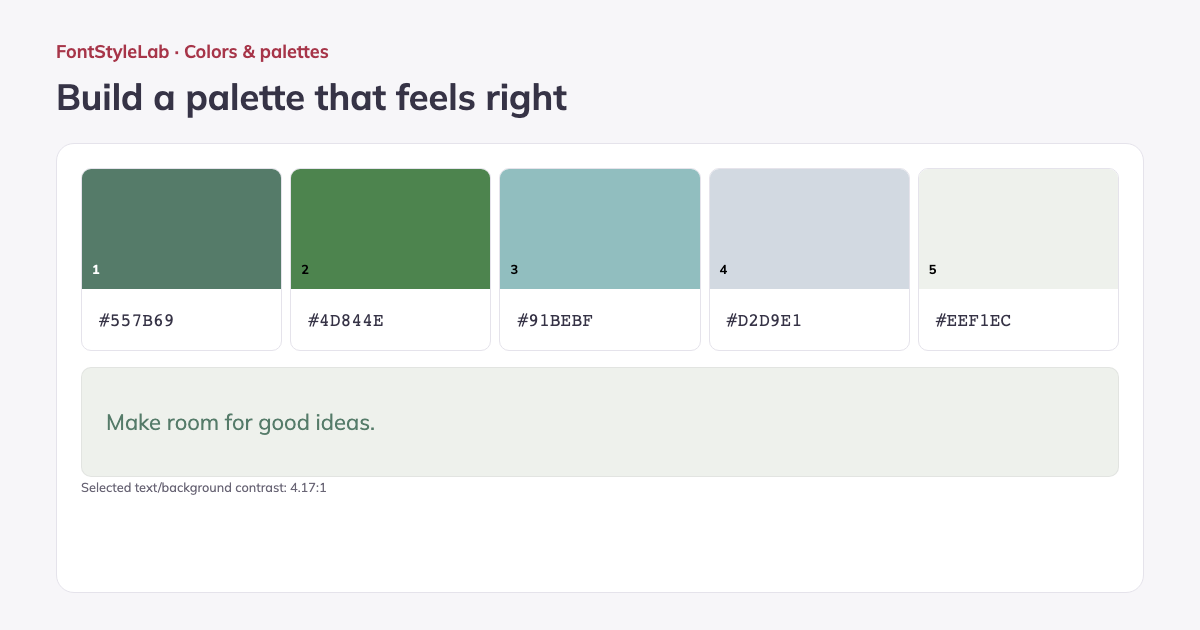
Lock favorite colors, generate new combinations and move swatches into order. Preview a text/background pair and its contrast, copy colors, or download the palette as PNG, CSS variables or JSON.
Color harmonies, explained
- Analogous
- Neighboring hues on the color wheel give a palette a closely related feel.
- Complementary
- Opposite hues create strong color contrast. Check readability separately when using them for text.
- Split complementary
- A base hue is paired with the two hues beside its opposite, giving contrast with more variety.
- Triadic
- Three hues spaced 120 degrees apart create a balanced three-way color scheme.
- Tetradic
- Two complementary pairs create a four-hue scheme. This tool spaces the four hues evenly around the wheel.
- Monochromatic
- One hue appears in lighter and darker variations for a unified palette.
- Surprise me
- Random hue combinations offer a starting point when you want to explore beyond a fixed harmony.
Formats, options and limits
Color fields accept 3-, 4-, 6- or 8-digit HEX with or without the # sign, RGB/RGBA and HSL/HSLA notation. Alpha values control transparency. Use the visual picker for quick changes or type a value for precise control.
- Use the color wheel and hue slider from 0–359 degrees, or start with Forest, Rose, Ocean or Golden hour. Keep individual colors locked while generating the others, reorder swatches and select the two colors used in the text/background preview.
- Download a 1200 × 630 px PNG palette reference, a CSS file with numbered color variables, or JSON containing the ordered color list. Copy one HEX swatch or the complete list for brand boards, website themes and matching graphics.
Work without an account: text and photos are processed in your browser. Save a project on this device or download a backup to reopen it later.
Good to know
Lock any colors you want to keep before generating another palette. Harmonies are starting points; check the contrast of the colors you plan to use for text.
Example made with this tool