Colors & palettes
Find the colors in your photo
Turn a favorite photo into a coordinated palette. Your image stays in your browser.
Free · No account needed · Saved on your device
Your result
Only on this deviceKeep creating
Use this result as the starting point for a design.
Did this tool help you?
Features and uses
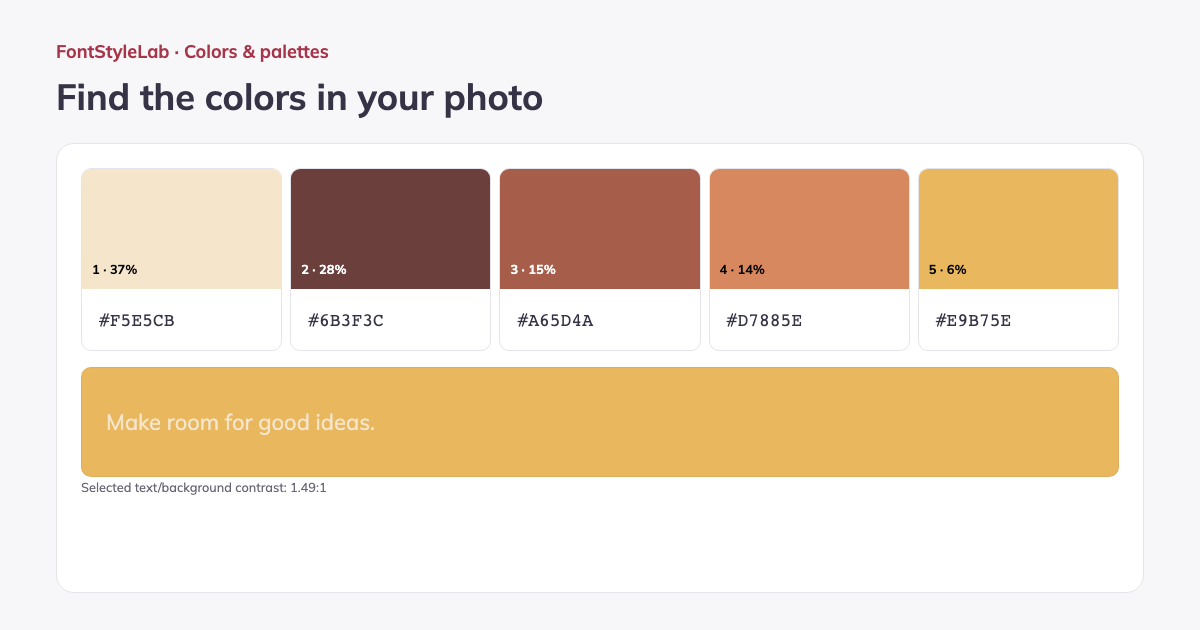
Extract a color palette from a JPEG, PNG or WebP photo. Request 3–8 representative colors and see their approximate proportions; simple images may contain fewer distinct colors.
Click the photo or enter original pixel coordinates to pick an exact pixel, including transparency. Edit the extracted swatches, preview text contrast and export the palette as PNG, CSS or JSON.
Formats, options and limits
Color fields accept 3-, 4-, 6- or 8-digit HEX with or without the # sign, RGB/RGBA and HSL/HSLA notation. Alpha values control transparency. Use the visual picker for quick changes or type a value for precise control.
- Choose one JPEG, PNG or WebP image up to 12 MB and 40 million pixels. Pick colors from the photo by clicking it or entering X and Y coordinates, starting at 0 in the top-left corner. The pixel picker reads the original image, even when the preview is smaller.
- Export the extracted colors as a 1200 × 630 px PNG palette reference, numbered CSS variables or an ordered JSON color list. These exports contain the palette, rather than a resized copy of the source photo. Use them to match text and graphics to a photograph.
Work without an account: text and photos are processed in your browser. Save a project on this device or download a backup to reopen it later.
Good to know
The palette estimates dominant colors from a downsampled image. Mostly transparent pixels are ignored. Pixel picking reads the original image coordinates and preserves transparency; it is not a print color measurement.
Example made with this tool