MAKE IT PERSONAL
Digital and printable card maker
A birthday, a thank-you or a reason to get together. Add your words and photos to a card worth keeping.
Free · No account needed · Saved on your device
Planning a wedding? Open the wedding invitation maker.
Card collections
Your preview
A card for their phone
Share your finished card in WhatsApp, Messages or another app.
Only the selected side is included. You can send another side separately.
Preparing your image…
Preparing preview…
PDF pages contain rendered images. Print at Actual size / 100% on matching paper. Up to 40 pages per export.
PNG downloads the displayed sheet at the selected resolution.
1200 ppi is the default for crisp lettering and fine lines. Choose a lower resolution for smaller files. Photo detail depends on the original image.
Did this tool help you?
From preview to finished project
- Add your content and choose a layout. Review every page, especially long names and captions.
- Choose Send digitally to share a card image in WhatsApp or another app. Copy the message text to send alongside it.
- Download the PDF and select the matching paper size. Print one test page at 100% before printing the set.
- For two-sided work, print the first front and back as a test using the flip edge shown above. Printer feed direction varies. Check the pair before printing the full set, then cut along the guides.
- Save a project or download a backup to reuse the design. Clearing browser storage removes local projects.
Features, sizes and downloads
What can I customize, and what are the limits?
Make folded greeting cards or flat invitations in A7, A6, A5, 4 × 6 in, 5 × 7 in, 130 or 148 mm square, or slim 99 × 210 mm sizes. Custom width and height each range from 50–240 mm. Add cover, inside and back content, then download print sheets or individual card faces as PNG.
Card designs
For birthdays, thank-you notes, celebrations and everyday moments.
- Studio colour: Sculptural colour blocks and generous serif lettering.
- Birthday candles: Five illustrated candles, butter-yellow paper and playful type.
- Paper confetti: Cut-paper shapes and bold lettering for a joyful message.
- Botanical letterpress: Fine wildflower linework and elegant type on warm ivory.
- Postmarked: Airmail edging, a decorative stamp and classic book typography.
- Midnight sparkle: Cream lettering and delicate starbursts on deep blue.
- Gallery mount: An inset picture mount and quiet, modern lettering.
- Scalloped note: A scalloped rose border and warm, rounded serif type.
- Classic · Simple styles
- Soft color · Simple styles
- Botanical · Simple styles
- Gilded · Simple styles
- Geometric · Simple styles
- Minimal · Simple styles
Which sizes and file formats can I download?
Available paper sizes are A3 (297 × 420 mm), A4 (210 × 297 mm), A5 (148 × 210 mm), A6 (105 × 148 mm), US Letter (8.5 × 11 in), Legal (8.5 × 14 in) and Tabloid (11 × 17 in), with portrait or landscape orientation.
Export PDF pages or the displayed sheet as PNG at 150, 300, 600 or 1200 ppi. PDFs contain rendered images and preserve physical page dimensions. Layouts support up to 40 pages; item size, margins and two-sided layouts determine how many entries fit. Print at Actual size / 100%.
Photo fields accept JPEG, PNG or WebP up to 12 MB each. Combined project images must stay within 24 MB and 40 million source pixels. Your photos and saved projects stay in the browser.
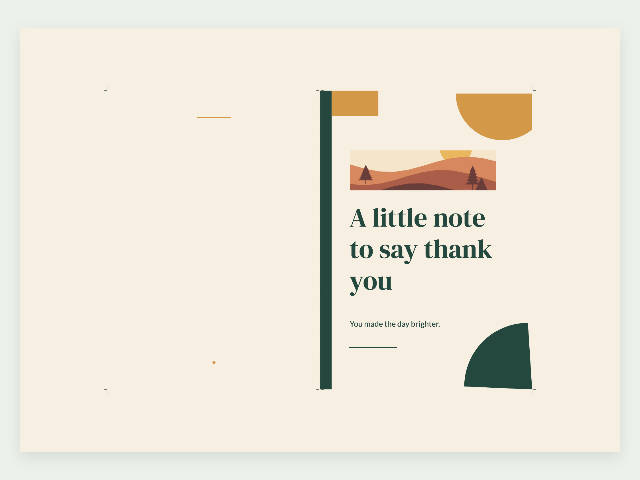
Example made with this tool
Questions about your printable
Can I send my card or invitation on WhatsApp?
Yes. Choose Send digitally to prepare one side as a clean PNG image. Use Share card to choose WhatsApp or another installed app when your browser supports file sharing. Otherwise, save the image and attach it yourself. PDF printing remains available.
Can recipients open the RSVP links in my invitation?
Links inside the card image are not clickable. Use Copy message text and paste the details alongside the image so recipients can open links or copy the address. FontStyleLab does not collect RSVPs or send messages for you.
Can I create both folded cards and flat invitations?
Choose Folded card or Flat invitation, then select a standard or custom finished size. The fit summary checks your paper, orientation and margins. Folded cards need twice the finished width on the sheet; suggested fixes keep the finished size unchanged.
Can I download a card image without the print sheet?
Use Individual card image to export the cover, inside panel or back as a PNG at its finished size. This image has no paper margins or cut guides. Use Download PDF for the printable sheets.